Is your website slow enough to cost you customers? Core Web Vitals, explained
By Capital Growth Studio · Published · 6 min read
A good-looking site that loads slowly on a phone is still a slow site.
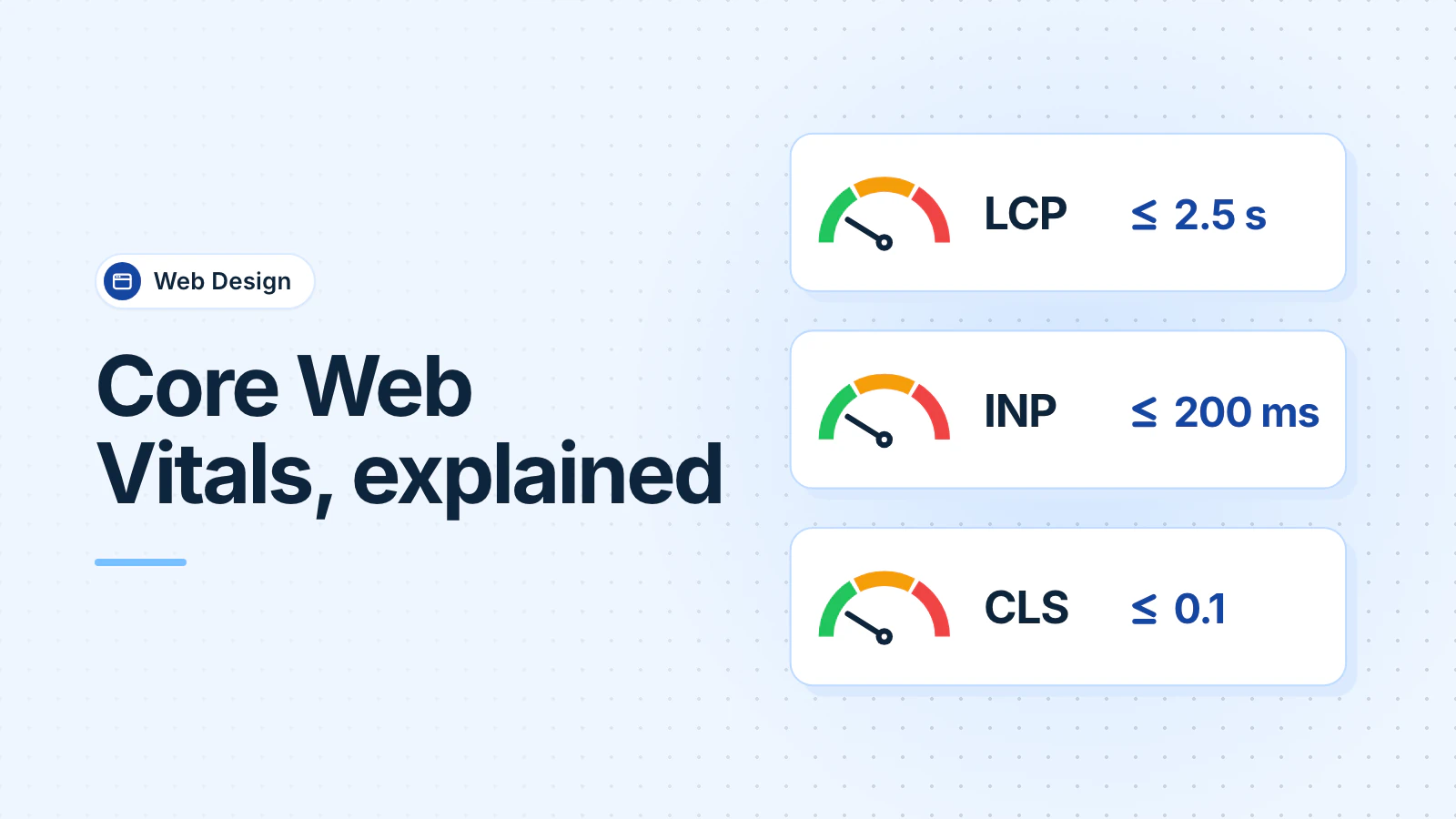
Core Web Vitals are Google's three measures of how a page feels to real visitors: how fast the main content appears (LCP, good is 2.5 seconds or less), how fast the page responds to a tap (INP, 200 milliseconds or less), and how much it jumps around while loading (CLS, 0.1 or less). PageSpeed Insights checks yours free.
Does website speed affect whether visitors call you?
Google's research says it does. In a 2016 analysis of Google Analytics data from about 3,700 mobile sites, Google found that 53% of mobile visits were abandoned when a page took longer than three seconds to load (Google/DoubleClick, "The Need for Mobile Speed", 2016).
A later study looked at much smaller changes. In a 2020 study commissioned by Google, Deloitte and the agency 55 tracked 37 brands and about 30 million sessions. A 0.1-second improvement in mobile speed went with 8.4% more retail conversions. On lead-generation sites, 21.6% more visitors made it to the form submission page (web.dev summary, Deloitte).
Neither study looked at local service businesses, and both show an association, not a guarantee. They still point the same way: on a phone, faster pages keep more people.
What are the three Core Web Vitals?
| Metric | What it measures | Google's "good" threshold |
|---|---|---|
| Largest Contentful Paint (LCP) | How long until the biggest piece of content, usually the hero image or headline, appears | 2.5 seconds or less |
| Interaction to Next Paint (INP) | How long the page takes to respond visibly after a tap, click or key press | 200 milliseconds or less |
| Cumulative Layout Shift (CLS) | How much the layout moves unexpectedly while the page loads | 0.1 or less |
Google judges these at the 75th percentile of real visits, separately for phones and desktops. That means at least three in four visits need a good score, not only the ones on fast connections (web.dev).
How do you check your Core Web Vitals?
Three free tools:
- PageSpeed Insights: enter a URL. The top section shows real-visitor data from Chrome, if your site has enough of it. The bottom section is a lab test, a simulated visit.
- Search Console's Core Web Vitals report: groups your pages by status, using the same real-visitor data.
- Lighthouse, built into Chrome's developer tools: runs a lab test whenever you like.
How do you fix a slow Largest Contentful Paint?
On most small business sites, the largest piece of content is the hero image, the large picture at the top. Start there:
- Compress it, use a modern format such as WebP or AVIF, and serve it at the size it displays.
- Never lazy-load it (tell the browser to wait until the visitor scrolls near it). Google says lazy-loading the LCP image "will always lead to unnecessary resource load delay" (web.dev). Lazy-load only the images further down the page (web.dev).
- Tell the browser it matters, with
fetchpriority="high"on that image (web.dev). - Serve the site from a fast host with a CDN (a network of servers that delivers files from near the visitor), and cache files that rarely change, such as images, CSS and scripts.
How do you fix a poor Interaction to Next Paint?
Google's guide to INP names the usual causes: long-running JavaScript, very large pages, and pages built in the browser with JavaScript. On a small business site, look first at what's been added over the years: chat widgets, review carousels, pop-ups, booking scripts, and the tags loaded through a tag manager. Remove what you don't use, and load the rest after the page is ready.
How do you stop the page jumping around?
Layout shift happens when something loads late and pushes the content down, often just as someone goes to tap a button. The fixes (web.dev):
- Give every image and video a width and height, so the browser saves space for it.
- Reserve space for things that load late, such as cookie banners, embedded maps and review widgets.
- Don't insert new content above what the visitor is already reading.
What else makes visitors leave besides speed?
- The phone number isn't visible on a phone without scrolling, or can't be tapped to call.
- The first screen doesn't say what you do and where.
- The contact form asks for more than you need.
- Text is hard to read, or buttons are too small to tap. The W3C's WCAG 2.2 is the standard checklist for accessible sites.
- The site looks out of date. People judge how a page looks very quickly. In a 2006 Carleton University study, people's ratings of web pages they saw for 50 milliseconds closely matched their ratings after 500 milliseconds (Lindgaard et al., 2006).
If you pay for ad clicks, a slow landing page wastes them. See Google Ads mistakes that waste your budget.
What should you fix first?
- Run PageSpeed Insights on your homepage and your top service page, set to mobile.
- Fix the hero image: size, format, no lazy-loading, high priority.
- Remove scripts and widgets you don't use.
- Add a width and height to every image.
- Put a tappable phone number at the top of every page.
Frequently asked questions
Did INP replace First Input Delay?
Yes. Interaction to Next Paint (INP) replaced First Input Delay (FID) as a Core Web Vital on March 12, 2024. INP measures how quickly the page responds to every tap, click and key press, not only the first. A guide that says to fix FID is out of date.
Will fixing Core Web Vitals get me to the top of Google?
Not by itself. Google uses Core Web Vitals in ranking, but it says good scores don't guarantee top positions, and it still ranks the most relevant page first. Fix speed for your visitors, and work on your content and Business Profile for rankings.
Why does PageSpeed Insights show no real-user data for my site?
Your site probably doesn't get enough Chrome traffic to be included in Google's real-user dataset, which has eligibility criteria. That's common for small local sites. Use the lab results in PageSpeed Insights or Lighthouse instead, and test on a mid-range phone over a cellular connection.
Updated .