Google Ads mistakes that waste a local business's budget, and how to fix them
By Capital Growth Studio · Published · 6 min read
Google will spend your budget wherever you let it. Your job is to tell it where not to.
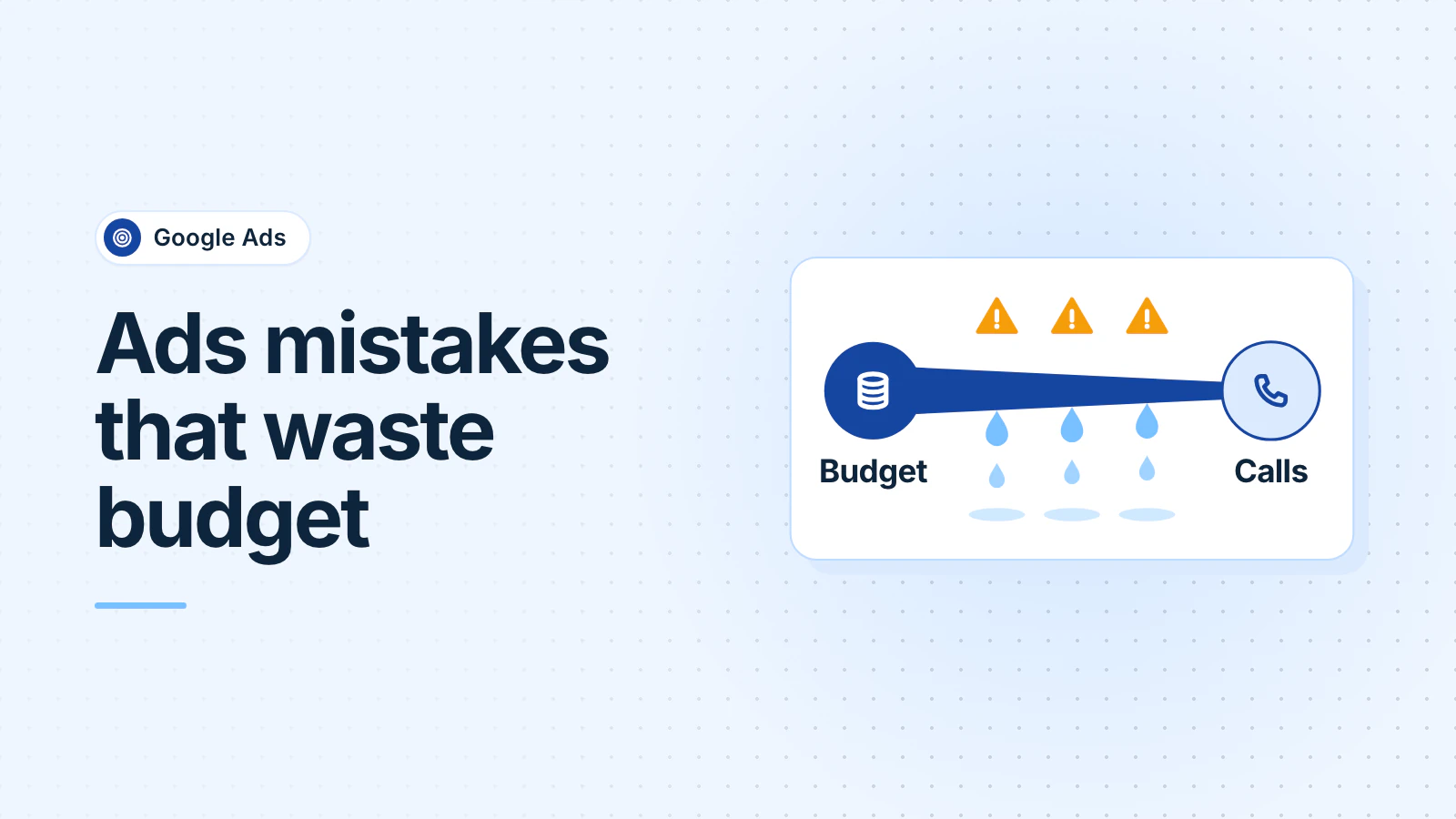
If your Google Ads clicks aren't turning into calls, check seven settings before you touch the ads: search terms with no negative keywords, broad match without conversion tracking, location targeting that reaches past your area, networks you didn't choose, ads that land on your homepage, untracked calls and form fills, and ads running when no one can answer the phone.
What should a click and a lead cost in your industry?
Know what normal looks like first. These WordStream by LocaliQ averages come from more than 13,000 US search campaigns on Google and Microsoft Ads, April 2025 to March 2026 (WordStream, 2026):
| Industry | Avg. cost per click | Avg. conversion rate | Avg. cost per lead |
|---|---|---|---|
| All industries | $5.42 | 8.18% | $66.69 |
| Home & home improvement | $8.33 | 8.05% | $90.92 |
| Physicians & surgeons | $4.76 | 12.43% | $40.04 |
| Beauty & personal care | $4.62 | 10.35% | $39.25 |
| Industrial & commercial | $5.87 | 8.20% | $75.19 |
These are national averages from one company's customers, so treat them as a reference point, not a target. But if your cost per lead is several times your industry's average, start with the settings below.
Are your ads showing for searches that will never hire you?
Your keywords aren't the searches you pay for. The search terms report shows the actual searches that triggered your ads (Google).
The fix is negative keywords: words that stop your ad from showing when a search contains them. Read the report and exclude anything irrelevant. Common starters: jobs, salary, careers, school, course, DIY, free, and the names of places you don't serve.
Negative keywords don't match close variants. Google's own example: excluding "flowers" doesn't block "red flower" (Google). Add singular and plural forms, and synonyms, yourself. Put the terms that apply everywhere in an account-level negative keyword list. Performance Max campaigns got campaign-level negative keywords in 2025, up to 10,000 per campaign (Google).
Is broad match or AI Max spending money without guardrails?
Broad match is now the default match type for every keyword, and Google says it's "critical to use Smart Bidding with broad match" (Google). Smart Bidding is Google's automatic bidding, and it learns from conversions. Without call and form tracking, broad match shows your ads for loosely related searches and has nothing to learn from.
AI Max for Search goes further. This optional layer on a Search campaign adds broad and "keywordless" matching, writes ad text from your site, and can send clicks to whichever page it judges most relevant (Google). If you turn it on, add URL exclusions for pages that shouldn't get ad traffic, such as your careers page or blog (Google). In the search terms report, its matches show "AI Max" as the match type.
On a small budget with no tracking yet, phrase and exact match keep you in control while you fix that.
Are your ads reaching people outside your service area?
Google's default location setting shows ads to people "in, regularly in, or who've shown interest in" the places you target (Google: location options). If you only work in a set area, "interest" can mean paying for clicks from people elsewhere who are researching your area. Google suggests the "Presence" option when you only want people who are there.
In the DMV, your service area probably crosses state lines. Target the counties and cities you serve, such as DC, Arlington, Fairfax and Montgomery County, not all of Maryland and Virginia. Exclude the areas you don't go to.
Are you paying for search partners or the Display Network without knowing it?
New Search campaigns include Google search partners (other sites that show Google's search ads) by default (Google). Campaign setup also offers a Display Network checkbox that extends Search ads onto websites and apps (Google). Neither is wrong, but you should know they're on. Segment your campaign report by network and compare cost per conversion before you keep them.
Where do your ad clicks land?
Someone who searched "water heater replacement Rockville" and clicked your ad should land on a page about water heater replacement, with your phone number at the top. Landing page experience is one of the three parts of Google's Quality Score (Google).
Check the page on a phone. Segment any report by device to see how many of your clicks come from phones. Then open the landing page on your phone and time how long it takes to reach the phone number and the form. If it's slow, see Core Web Vitals, explained.
Are calls and form fills tracked as conversions?
Without conversion tracking, you see clicks and costs but not customers. Track three things:
- Calls from your ads and your website. Google can swap your site's number for a Google forwarding number and count only calls longer than a minimum you choose, which filters out wrong numbers (Google).
- Form submissions, counted when the thank-you page loads or the form is submitted (Google).
- Enhanced conversions, which send scrambled (hashed) form data, such as an email address, to Google to measure conversions more accurately (Google).
Then judge each campaign on cost per lead and, better, cost per booked job, not on clicks and impressions.
If you record calls, tell callers. Maryland requires every party's consent to record a call (Md. Code, Cts. & Jud. Proc. § 10-402). This is general information, not legal advice.
Are your ads running when no one can answer the phone?
Campaigns show ads "All day" unless you set an ad schedule (Google). If a missed call means a lost job, schedule call-focused ads for the hours someone picks up, and let form-based ads run after hours. If ads run around the clock, make sure an answering service or a clear voicemail picks up.
What should you check first, and how often?
Start with conversion tracking, because without it nothing else can be judged. Last, decide whether broad match or AI Max is worth its cost.
Review search terms, negatives, and which ads and pages bring conversions every week for the first two months, then monthly. Check again when demand shifts, such as the first summer heat wave or the week before a holiday, when your hours and budget may need to change.
Frequently asked questions
How much should a small business spend on Google Ads?
Work backward from the leads you want. Multiply the leads you need each month by your industry's typical cost per lead. That money goes to Google. Any management fee is separate.
Should I own my Google Ads account if an agency runs it?
Yes. Create the account under your business's own Google login, with billing in your name, and give the agency access. Google's agency rules require one account per advertiser and transparency about costs. If you part ways, you keep the account history, which affects Quality Score.
What's the difference between Google Ads and Local Services Ads?
Google search ads charge per click and send people to your website. Local Services Ads appear at the top of some local searches, carry a Google Verified badge and charge per lead, such as a phone call you answer. Our Google Ads vs. Facebook Ads guide covers them too.
Updated .