How do you get your HVAC and electrician openings into Google's job search?
By Capital Growth Studio · Published · 6 min read
Post where Google already looks, or give each opening its own page on your site.
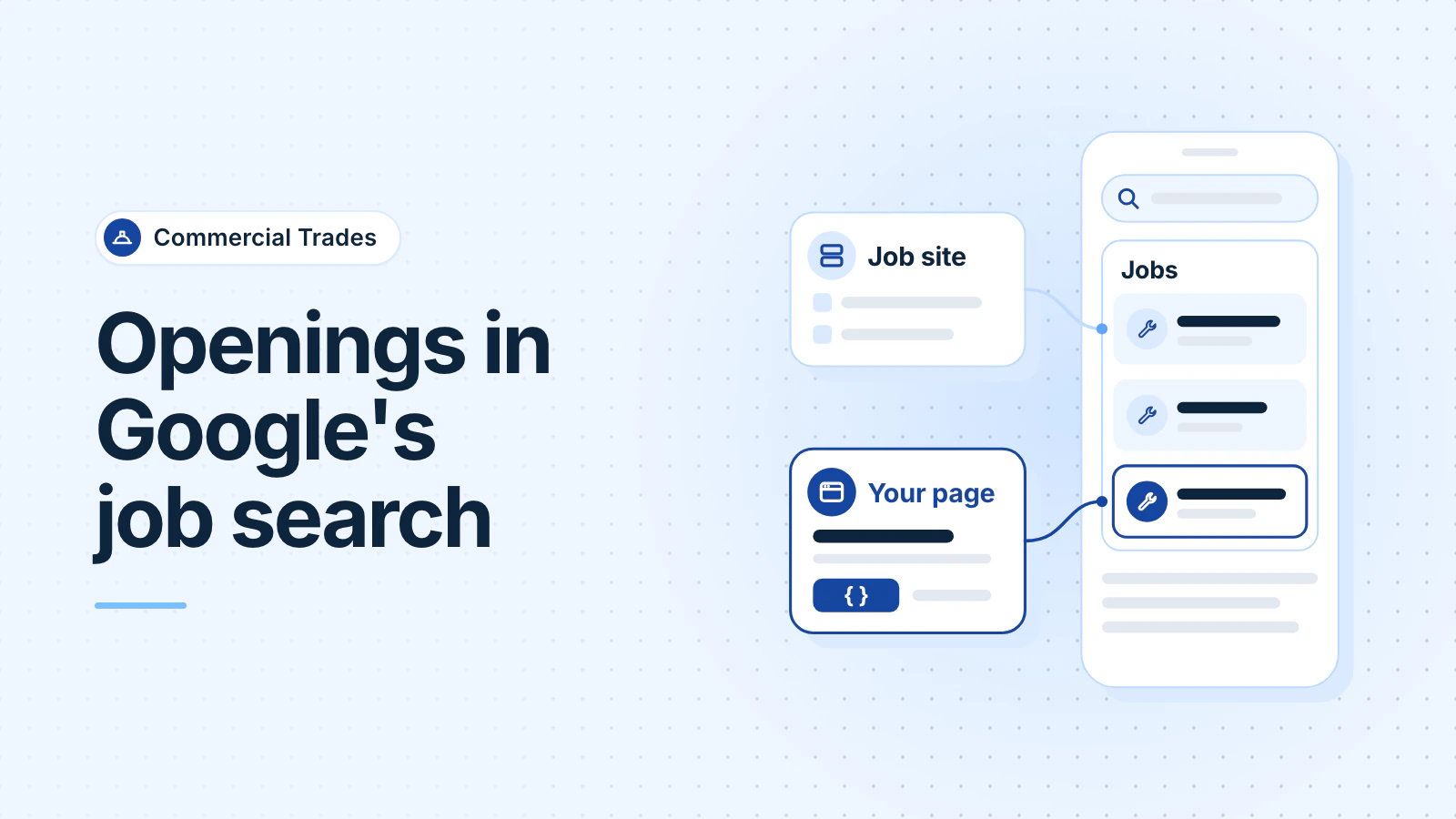
Google's job search, often called Google for Jobs, shows openings it collects from job sites and employers' own websites. To get in, post on a job site that already feeds Google, or give each opening its own page on your site with JobPosting structured data: a short block of code that tells Google the title, pay, location and dates.
Google decides what it shows, so nobody can promise a place. We checked Google's documentation on October 13, 2026.
What is Google's job search?
Search "electrician jobs near me" and Google can show a short list of up to three job results, with a button to see more. Google says the jobs "come directly from employers and career sites across the web." Results are sorted by relevance, including the search words, the job's location and its listing date (Google Search Help, October 2026).
Google charges nothing for it. It says job listing providers "don't pay Google to appear in job search results and can't pay to influence their ranking."
What are the two ways to post a job on Google?
- Through a job site. Job boards and applicant tracking systems (hiring software) can send their listings to Google. Google tells employers to "check to see if your job provider is already participating" (Google, October 2026). Ask your job board. Applicants then apply through that site.
- Through your own careers page. Add JobPosting structured data to each job page on your website. Google says that after setup it "continues to pull new jobs as you add them." Applicants land on your site and apply to you.
You can do both. Your own pages keep working after you stop paying for a job board.
Why does each opening need its own page?
Google's rules are specific (Google Search Central, October 2026):
- JobPosting data goes only "on pages that contain a single job posting." A careers page that lists five jobs shouldn't carry it. Each job's own page should.
- The data must sit on the same page as the job description people read, and everything in it must be visible there. Google's example of a violation: pay in the data but not on the page.
- Applicants must be able to read the job without logging in, and the page needs a way to apply.
- No fake jobs, no résumé collecting when you aren't hiring, and no jobs that charge applicants.
So build a careers page that links to one page per opening, each with a short apply form or clear apply instructions.
Which fields does Google need?
| Field | What goes in it | Google's status |
|---|---|---|
title | The job title only | Required |
description | The full job: duties, qualifications, skills, hours, education and experience | Required |
datePosted | The date you first posted the job | Required |
hiringOrganization | Your company's name, not a branch | Required |
jobLocation | Where the person reports to work, including the country | Required |
validThrough | The date the posting closes | Recommended; required if the post has an end date |
baseSalary | The real base pay from you, not an estimate, as one rate or a range | Recommended |
employmentType | Full time, part time, temporary and so on | Recommended |
Pay is only "recommended" for Google. But the laws in DC, Maryland and Virginia already require pay in the post, so put the same range in the page text and in baseSalary. Our guide to pay ranges in DC, MD and VA job posts explains each law.
What should a trade job title look like?
Google says the title "must be the title of the job only." Leave out job codes, addresses, dates, pay and your company name. Don't overuse characters such as "!" and "*", and don't write in all caps. Google's own bad example is "*** WAREHOUSE HIRING NOW!! ON A BUS ROUTE!! ***". Stuffing keywords into titles also breaks its rules.
- Instead of "HVAC TECHS WANTED!!! TOP PAY," write "Commercial HVAC Service Technician."
- Instead of "Electrician - Fairfax - Apply Today," write "Journeyman Electrician," and put Fairfax in the location field.
What does the code look like?
A made-up example for one opening. Whoever runs your website adds it to that job's page:
{
  "@context": "https://schema.org/",
  "@type": "JobPosting",
  "title": "Commercial HVAC Service Technician",
  "description": "<p>Service and repair rooftop units...</p>",
  "datePosted": "2026-10-13",
  "validThrough": "2026-11-30",
  "employmentType": "FULL_TIME",
  "hiringOrganization": { "@type": "Organization", "name": "Example Mechanical LLC" },
  "jobLocation": { "@type": "Place", "address": { "@type": "PostalAddress",
    "addressLocality": "Rockville", "addressRegion": "MD", "addressCountry": "US" } },
  "baseSalary": { "@type": "MonetaryAmount", "currency": "USD",
    "value": { "@type": "QuantitativeValue", "minValue": 32, "maxValue": 42, "unitText": "HOUR" } }
}
Every value must match what the page shows.
How do you take down a filled job?
Google doesn't allow expired job postings, and it can remove postings that break its rules. When a job is filled or closed, do one of these:
- Set
validThroughto a date in the past. - Delete the page, so it returns a "not found" error (404 or 410).
- Remove the JobPosting data from the page.
For job pages, Google recommends its Indexing API. It lets your site tell Google that a job page is new, changed or gone, so Google crawls it sooner. Ask your web developer to set it up, and keep a sitemap for the whole site.
How do you check that it worked?
- Paste the job page's address into Google's Rich Results Test. It shows the structured data it found and any errors or warnings. The page must be public, not behind a login or firewall (Search Console Help, October 2026). Fix every error, then test again.
- In Google Search Console, use the URL Inspection tool to see the page as Google sees it. After Google indexes the page, check the rich result report for job postings.
- To count applicants from Google, look in Google Analytics for visits tagged
utm_source=google_jobs_apply.
Google says it doesn't guarantee that structured data will show in results, and that it may take several days to find and crawl a new page. If you'd rather not build this yourself, our Hiring System for trade contractors includes a careers page, one page for each opening with the job data in place, and a short apply form.
Frequently asked questions
Does it cost anything to appear in Google's job search?
Not from Google. Google says job listing providers don't pay it to appear and can't pay to change their ranking. A job board may still charge you to post.
Do I need hiring software to do this?
No. Google accepts job data from employers' own websites, not only from job boards and hiring software. A careers page with one page per opening, the right job data and a way to apply makes each job eligible.
Why did my job disappear from Google's job search?
Google's documentation lists common causes: the closing date has passed, the job data sits on a list page, the page doesn't match the data, there's no way to apply, or the job needs a login to read. Fix the page, then test it again with the Rich Results Test.
Updated .