Why did my Google reviews disappear, and what can I do about fake ones?
By Capital Growth Studio · Published · 6 min read
Usually Google's spam filter removed them. Here is what you can do about it.
Google reviews usually disappear because Google's spam filters removed them for a policy reason, such as an incentive, a burst of reviews or a link between the reviewer and the business. Sometimes the filter removes real reviews by mistake. You can report fake reviews, appeal a decision once, report extortion separately and ask for reviews in ways Google allows.
Google says reviews removed for policy violations "won't be restored" (Google Business Profile Help). It also says its automated spam detection "may also mistakenly remove legitimate reviews" (Google: report reviews).
Why does Google remove real reviews?
Google removes reviews that break its Maps content policy, even when the customer was real. Under that policy, a business may not (Google Maps content policy):
- Offer anything for a review, such as payment, a discount or free goods or services.
- Ask only happy customers, or discourage negative reviews. People call this review gating.
- Pressure customers to review while they're still on site, or ask them to include specific content, such as a staff member's name.
- Collect reviews from people with a conflict of interest, such as current or former staff, family or competitors.
The same policy removes reviews that show "unusual volumes or patterns" that suggest someone is trying to manipulate a rating. So a steady flow of reviews is safer than a one-time push.
Some reviews are only late. Google checks new reviews first, which can take a few days (Google).
Were the 2025 and 2026 review removals a bug?
The October 2025 wave most likely was. Search Engine Roundtable reported it as a likely bug that Google was working on (Search Engine Roundtable, October 27, 2025). On December 18, 2025, the same site reported it fixed. Its source was a volunteer Product Expert on Google's help forum, who said Google had confirmed the fix (Search Engine Roundtable).
The February 2026 wave is less clear. Complaints rose again (Search Engine Roundtable, February 19, 2026). The next day, the same site reported that Google had updated the review rules listed above (Search Engine Roundtable, February 20, 2026).
If you think the filter removed real reviews, contact Business Profile support. Give them the customer's name, the job date and a screenshot of the review if the customer sent you one.
How do you report a fake review?
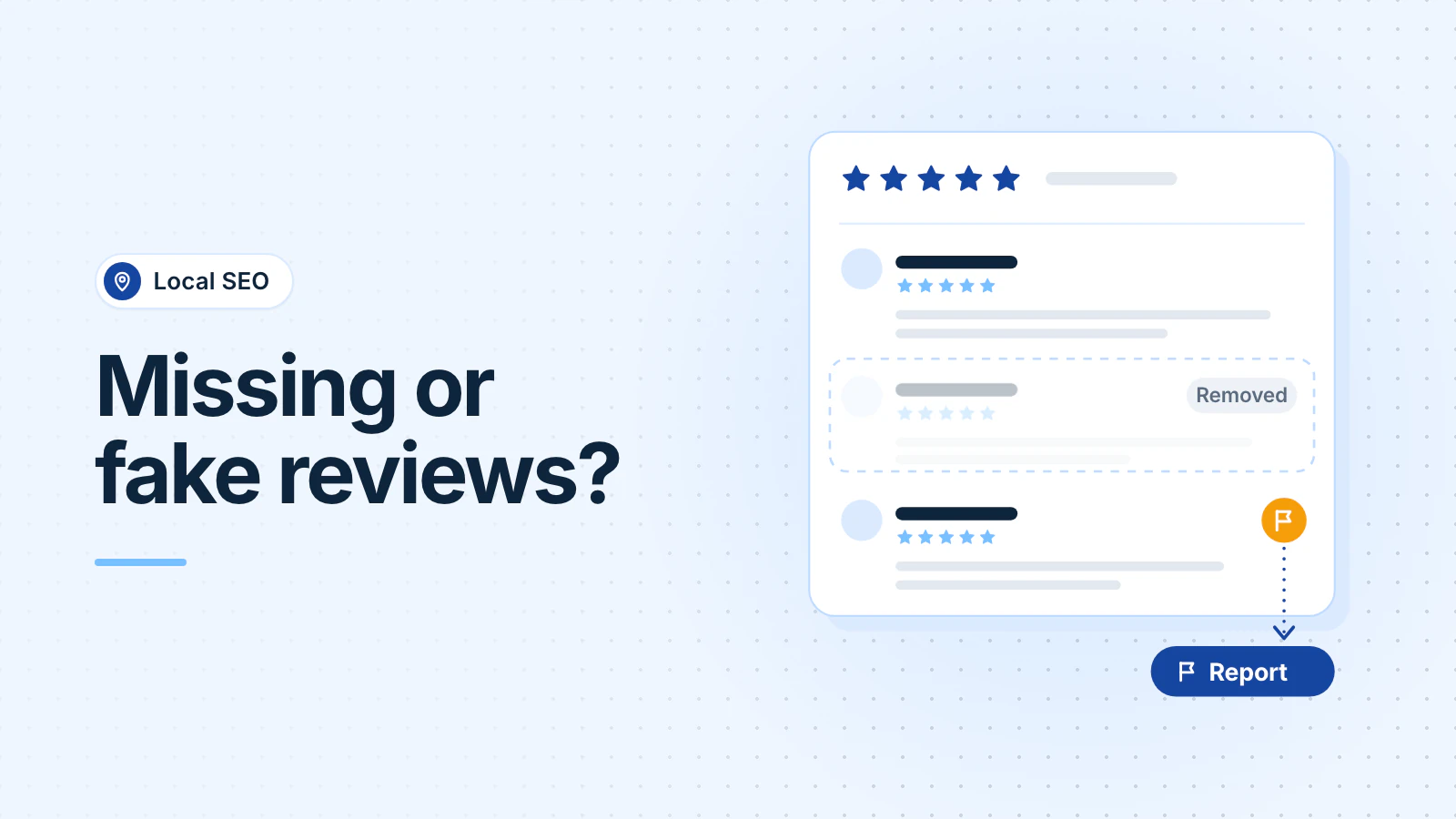
Flag it from your profile, then follow the decision in Google's Reviews Management Tool (Google: report reviews):
- Open your Business Profile, select Read reviews, then select Report next to the review.
- Pick the reason, such as "Spam" or "Profanity," and send the report.
- Check the status in the Reviews Management Tool. Google says evaluation typically takes several days.
- If the status says no policy violation, you can send a one-time appeal for up to 10 reviews. Google emails you the final decision.
Google won't remove a review only because you disagree with it. It says it "doesn't get involved in conflict between businesses and customers."
If a review makes false statements that you believe break the law, Google has a separate legal removal request. Google asks you to flag the review in the product first. Talk to a lawyer before you threaten to sue: the FTC rule on reviews bans "unfounded or groundless legal threats" to get a review removed (FTC). This is general information, not legal advice.
Reply as well, short and factual: "We can't find a job under this name. Please call us so we can look into it." Don't call the reviewer a liar or a competitor unless you know it. The same FTC rule bans accusations about a reviewer that you know are false.
What should you do about review extortion?
Don't pay, and report it to Google with evidence. Google describes the scam as a sudden wave of 1-star and 2-star reviews, then a demand for money, goods or services to remove them. Google says paying can encourage more attempts and doesn't make removal certain (Google: review extortion).
Collect this before you fill in Google's merchant extortion report form:
- Screenshots of every demand, with the date, the time and the sender's email, phone number or profile.
- A link to each suspicious review.
- When the reviews started, and when the first demand arrived.
Google investigates and tells you the result. In April 2026, Google also said that when it sees a sudden spike in spam reviews, it will remove them, pause new reviews on the profile, alert the owner and show customers a banner that explains the pause (Google). Google presents the pause as a way to protect your profile.
How do you ask for reviews without breaking Google's rules?
Ask every customer the same way, soon after the job. Offer nothing for it. Google gives you a review link and a QR code to share with customers (Google: tips to get more reviews).
For an HVAC company in Silver Spring, that can be a text with the link when the technician closes the job. A med spa in Bethesda can email the link after the visit, rather than hand clients a tablet at checkout, because Google's policy bars pressure to review on site.
Avoid these:
- Discounts, gift cards or prize drawings for reviews. Google bans any incentive, even for an honest review.
- A "How did we do?" screen that sends only happy customers to Google.
- Scripts that ask customers to name a technician or use certain words.
- Reviews from staff, family or friends.
The law matters too. Since October 21, 2024, an FTC rule has banned fake reviews and incentives that require a particular opinion, and courts can impose civil penalties for knowing violations (FTC). This is general information, not legal advice.
Breaking Google's fake-review rules can cost more than the reviews. Google may block new reviews or hide existing ones for a set period, or show customers a warning that fake reviews were removed (Google: profile restrictions). Our Business Profile checklist covers the rest of your profile.
Get help if reviews keep disappearing after you've fixed how you ask. Review requests and replies are part of our local SEO work.
Frequently asked questions
Can I offer a discount for a Google review?
No. Google bans payment, discounts and free goods or services in exchange for a review, even an honest one. The FTC rule is narrower, but Google's policy decides what stays on your profile. Ask every customer and offer nothing.
How long does Google take to check a reported review?
Google says review evaluation typically takes several days. You can check the status in the Reviews Management Tool. If Google finds no violation, you can send a one-time appeal for up to 10 reviews, and Google emails you the final decision.
Can my employees or family leave us a review?
Not on Google. Its policy treats current or former employment and family relationships as a conflict of interest, and it removes those reviews. The FTC allows family reviews with a clear disclosure, but Google's policy is stricter. Ask customers instead.
Updated .