Why is Google calling my business, and should your front desk answer?
By Capital Growth Studio · Published · 6 min read
The calls are real, free and recorded. Decide on purpose whether you want them.
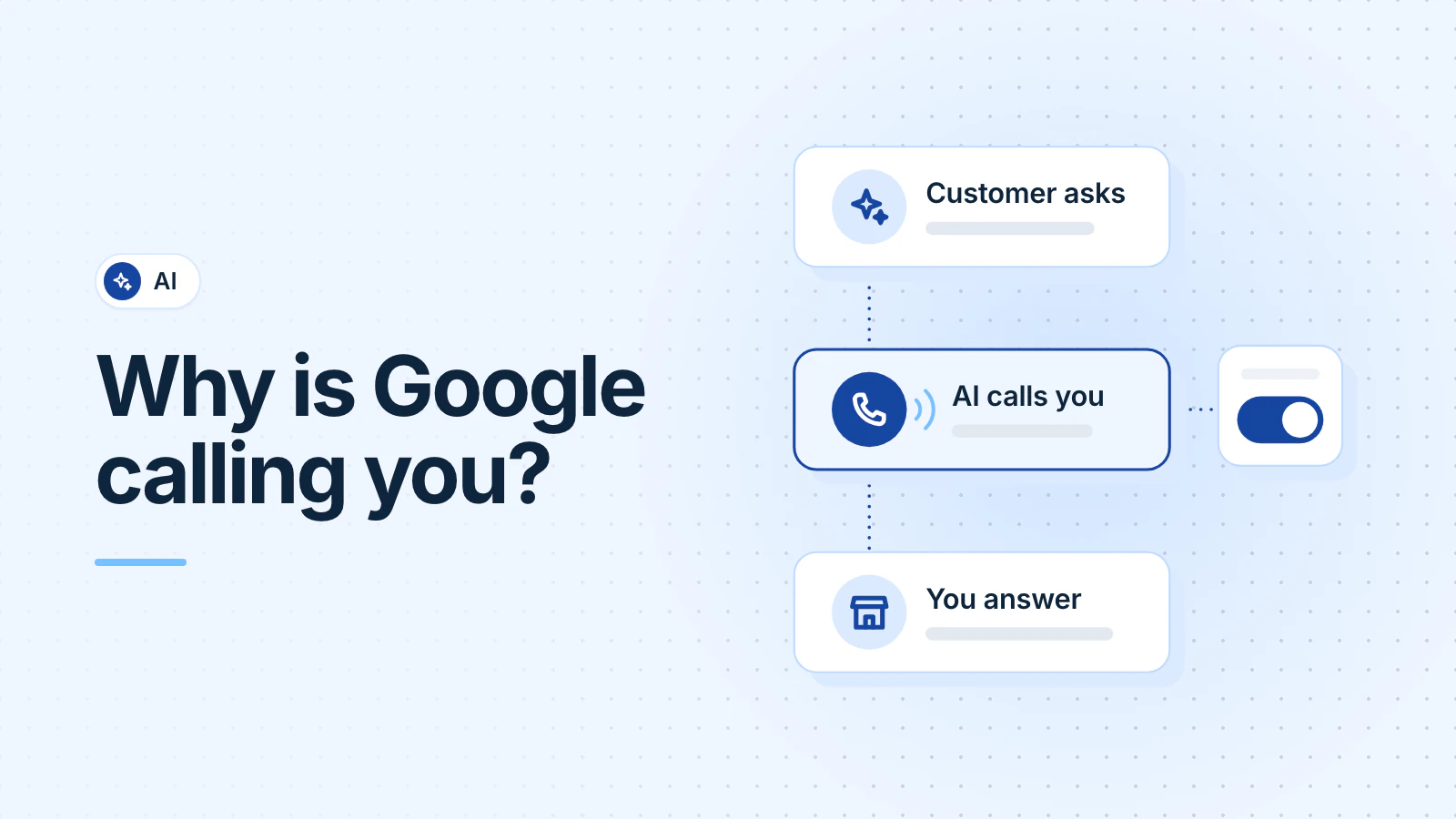
Google calls businesses for two reasons. It checks the details on your Business Profile, such as your hours. And its AI calls for customers who want a price, an opening or an appointment. The calls are real and free, and Google records them. Answer them if you want the work, or turn them off in your profile settings.
What is the automated call from Google?
As of October 13, 2026, Google lists five reasons it will call your business (Google Business Profile Help, October 2026):
- A customer wants to book an appointment.
- A customer wants to confirm the price and availability of your products or services.
- A customer wants to check a restaurant's wait time.
- Google needs to check your business hours.
- Google needs to check the status of in-demand inventory.
The customer calls are the new part. A customer taps "Have AI check pricing" in Search, or asks AI Mode to "Check for me". Google then calls several businesses nearby and sends the customer a summary of their answers (Google Search Help: checking prices, AI Mode, October 2026).
Which businesses does Google call, and does it work in DC, Maryland and Virginia?
Yes, it works here. As of October 13, 2026, Google says these calls work in every US state except Indiana, Louisiana, Minnesota, Montana and Nebraska. Google adds that the feature may not be available to every user (Google Business Profile Help, October 2026).
Google keeps adding business types:
- July 2025: Google launched AI calls to check pricing and availability, with pet groomers and dry cleaners as examples (Google, July 2025). Google's help page now names auto repair, hair salons, pet groomers, wellness centers and driving schools (Google Search Help, October 2026).
- May 2026: At its I/O conference, Google said customers can ask it to call businesses "for select categories like home repair, beauty or pet care", with a US rollout "this summer" (Google, May 2026).
Google's AI Mode help page now names home services "such as electricians, tree cutting, or exterior cleaning" (Google Search Help, October 2026). So HVAC companies, plumbers, electricians, remodelers and med spas may get these calls. Any business that takes appointments can get booking calls too.
How can you tell a real Google call from a scam?
A real call says it's from Google and why it's calling. One of Google's own examples: "This is an automated service from Google, and this call is recorded to help improve Google services" (Google Business Profile Help, October 2026).
| A real Google call | A warning sign |
|---|---|
| Says it's an automated service from Google | Says the caller works "with Google" or "for Google" |
| Asks about hours, prices, openings or a booking | Asks for money to keep your business on Google |
| Never asks for payment details or passwords | Asks for card details, passwords or personal information |
| Stops when you say "Please stop calling my business" | Tells you to press a button |
Google says a caller who asks for money to keep your business on Google "is not a call from Google" (Google Business Profile Help, October 2026). If a call feels wrong, hang up and don't press any buttons. Google suggests you report repeat scam calls to the FTC at donotcall.gov or 1-888-382-1222 (Google, October 2026).
Should your front desk answer?
If you want the work, yes. When you give a price or an opening, Google sends it to the customer by email or text, next to the other businesses' answers (Google Business Profile Help, October 2026). Google doesn't say what happens when nobody picks up. But a business that doesn't answer can't give the customer a price.
Invoca, a company that sells call-analytics software, reported that 26% of Google's AI pricing calls in its data went unanswered. Of the answered calls, 49% gave Google no price, most often in home services (Invoca, December 2025).
If an AI receptionist answers your phone, test it with a price question. Our guide to AI receptionists covers what else to check.
What should your staff say?
Keep a one-page script by the phone. A made-up example for an HVAC company:
- Confirm the service: "Yes, we repair and replace heat pumps in Montgomery County."
- Give a price range or a starting price, if you're willing to share one. If the job needs a visit first, say so, and give your service-call fee if you charge one.
- Offer a real opening: "Our next opening is Thursday morning."
- Say how to book: your phone number or your booking link.
The call is recorded, so say only what you'd put in writing. Never give out details about other customers or patients, payment details or passwords.
How do you stop Google calling your business?
You have two ways (Google Business Profile Help, October 2026):
- On the call, say "Please stop calling my business" or "Please remove my business from your list."
- In your Business Profile, select More, then Business Profile settings, then Advanced settings. Under "Google automated calls and text messages", turn off the switches you don't want: "Bookings and inquiries from customers", "Keep your profile up to date" and "Post to your profile on your behalf".
You must verify your profile before you can opt out. After you opt out, Google may still make occasional manual calls to confirm your details. To stop its texts, reply STOP. Calls that map your phone menu have their own opt-out: a voicemail with your business name and number to +1-650-206-5555.
Before you switch off customer calls, remember that those customers' summaries won't include you.
How do you get fewer calls, and better ones?
Put the answers online. Google says AI Mode calls when a business "does not have its information listed online, such as the earliest available appointment or current inventory in stock" (Google Search Help, October 2026). So keep your Business Profile and website current: services, hours, service area and a booking link. Add price ranges if you're willing to publish them. Our Business Profile checklist covers each field.
Check your profile after Google calls, too. Changes from its calls show as "Pending" for up to 5 business days, and Google emails you when it posts for you. Keeping your profile and website accurate is part of our local SEO work.
Frequently asked questions
Do Google's automated calls cost anything?
No. Google says businesses and customers can use these calls at no charge. So anyone who asks you to pay for them isn't calling from Google.
Will turning off Google's calls hurt my ranking?
Google doesn't say it will. It says its calls to confirm business details don't affect your account standing. But with customer calls turned off, Google won't call you for a customer's price or opening.
Can Google book an appointment without calling us?
Yes, in some cases. Google says that if you use an online booking provider, it may book through that partner instead of calling you. Its price-check calls don't book anything.
Updated .