Should each doctor in your practice have their own Google Business Profile?
By Capital Growth Studio · Published · 6 min read
Usually, if they see patients at your office. Decide who controls each profile before you create it.
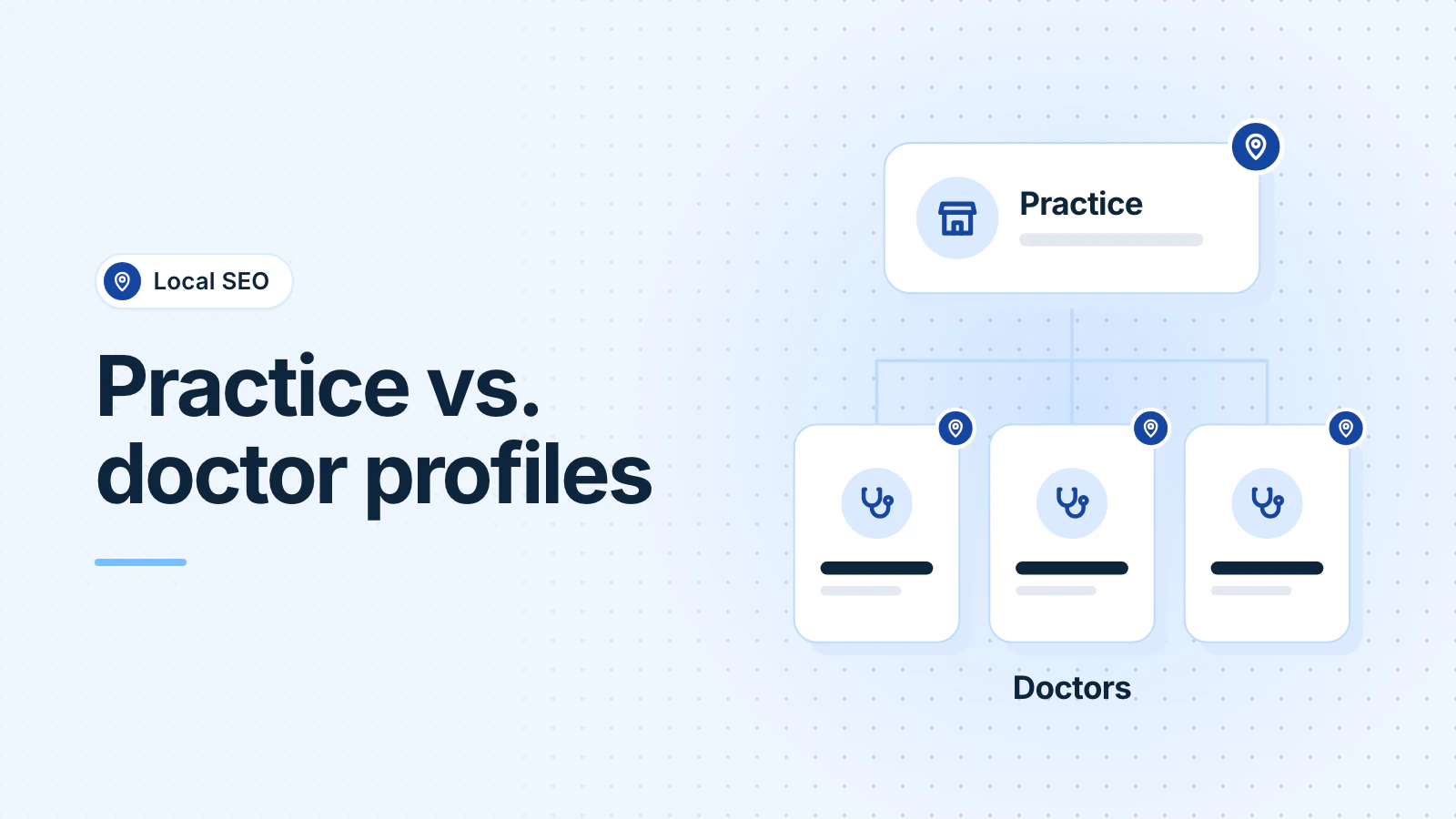
Usually, yes. Google says a doctor who works in a public-facing role and can be contacted directly at your office during stated hours can have their own Business Profile, separate from the practice's. Support staff shouldn't have one. If one doctor works alone under your practice brand, use one shared profile instead.
Who does Google allow to have a profile?
Google calls an individual practitioner "a public-facing professional, typically with their own customer base", and names doctors and dentists as examples. A practitioner should have their own profile if (Google Business Profile guidelines, October 2026):
- "They operate in a public-facing role. Support staff should not create their own Business Profiles."
- "They can be contacted directly at the verified location during stated hours."
One doctor gets one profile. Google says a practitioner "shouldn't have multiple Business Profiles to cover all of their specializations." List the doctor's services on that one profile instead.
How should you name the practice and doctor profiles?
It depends on how many practitioners see patients at the location. The names below are made up.
| Your situation | What Google says | Example names |
|---|---|---|
| Several doctors at one office | The practice gets its own profile. Each doctor's profile "should include only the name of the practitioner". | "Rockville Family Medicine" and "Maria Lopez, MD" |
| One doctor at a branded practice | Share one profile, named "[brand/company]: [practitioner name]". | "Rockville Family Medicine: Dr. Maria Lopez" |
| Any doctor's profile | The name may include a "title or degree certification", such as Dr. or MD. | "Dr. James Park, DO" |
Google's rule is the practitioner's name only. So leave the practice name, specialties and towns out of a doctor's profile name.
Why do duplicate profiles happen, and how do you fix them?
Google allows "only one Business Profile for each business", and "If a profile is considered a duplicate, it won't show on Google Search or Maps" (Google Business Profile Help, October 2026). A doctor who changed jobs may already have a profile from the old practice. Google says businesses at one address, including "individual practitioners at a shared location", can each have a profile if they're eligible and distinct. Its fixes:
- Someone else owns the profile: request ownership. The owner has 3 days to respond. If they don't, you may get the option to claim it, but Google says that option "isn't always available."
- You made a second profile by mistake: remove it from your account. That deletes its content and managers, so pick the right one.
- Two profiles show on Maps: suggest a merge in Google Maps. Merged profiles combine their reviews.
- Google flagged a real profile as a duplicate: appeal through support. At a shared office, Google may ask for evidence of permanent signage that shows both businesses.
What happens when a doctor leaves your practice?
Google's guidelines don't cover this case directly. Its general rules point to these outcomes:
- The doctor joins another practice. Google tells a business that relocates to "update the existing profile with the new address" rather than create a new one (Google). If the name stays the same, Google moves the reviews automatically (Google).
- The doctor retires. The profile can be marked permanently closed, but Google says it "may still appear on Search and Maps" for people who search for it (Google). Anyone can ask Google to remove a business that isn't eligible, through "Suggest an edit" in Google Maps (Google).
- Reviews. Reviews stay on a profile when a business closes. Google's rules for moving reviews cover relocations and duplicates, not a move from a doctor's profile to the practice's.
Then update your website, your booking links and any directory that still lists the doctor at your address.
What should a practice manager set up first?
- List every clinician who sees patients at each location. Leave out support staff.
- Search Google Maps for each name and for the practice. Claim or request what already exists before you create anything.
- Own the practice profile from a practice Google Account, not someone's personal Gmail, and add a second owner. Google allows several owners but only one primary owner, and each person needs their own Google Account (Google).
- For each doctor's profile, agree in writing who the primary owner is, who else has access, and what happens to the profile if the doctor leaves.
- Name each profile by the rules above, with that doctor's own hours.
- Add booking links. Google allows up to 10 per type, lets you mark one "Business preferred", and lets you remove third-party booking links you don't use (Google). If you list on Zocdoc, read whether Zocdoc is worth it before you make it your main link.
Our Business Profile checklist covers each field. Our medical practice page explains how we help practices with listings, local SEO and their website.
Do Healthgrades and other doctor directories matter?
Claim them, because you usually can't remove them. Healthgrades builds profiles from "publicly available sources", and its policies "prohibit complete removal" of public information about practicing providers (Healthgrades Help Center, October 2026). Each doctor can claim a free profile with a DEA or state license number (Healthgrades), or an authorized representative can manage it. When a doctor retires or stops practicing, Healthgrades asks you to tell its support team through its Contact Us form. Check other directories where your doctors are listed the same way.
Frequently asked questions
Who controls a doctor's Business Profile, the doctor or the practice?
Google's guidelines say the practitioner should create their own profile, but they don't settle who keeps it after a departure. In the profile's settings, owners control it, and only owners can add or remove people. So agree in writing who the primary owner is before you create the profile.
Should nurse practitioners and physician assistants have their own profiles?
They can if they meet Google's two conditions: a public-facing role, and patients can contact them directly at the verified location during stated hours. Google defines a practitioner as a public-facing professional with their own patients or clients, so the conditions matter more than the job title. Support staff shouldn't have profiles.
Updated .